Compliance
Streamlined regulatory compliance testing for your AI systems
The Compliance feature provides a guided workflow for testing your LLM applications against regulatory and safety requirements. It includes multiple built-in test packages covering EU AI Act provisions and AI safety dimensions, as well as the ability to generate custom packages tailored to your specific application.
Beta Feature
Compliance is currently in beta. Features and workflows may change as we refine the experience based on user feedback. New content will also be released as the development progresses.
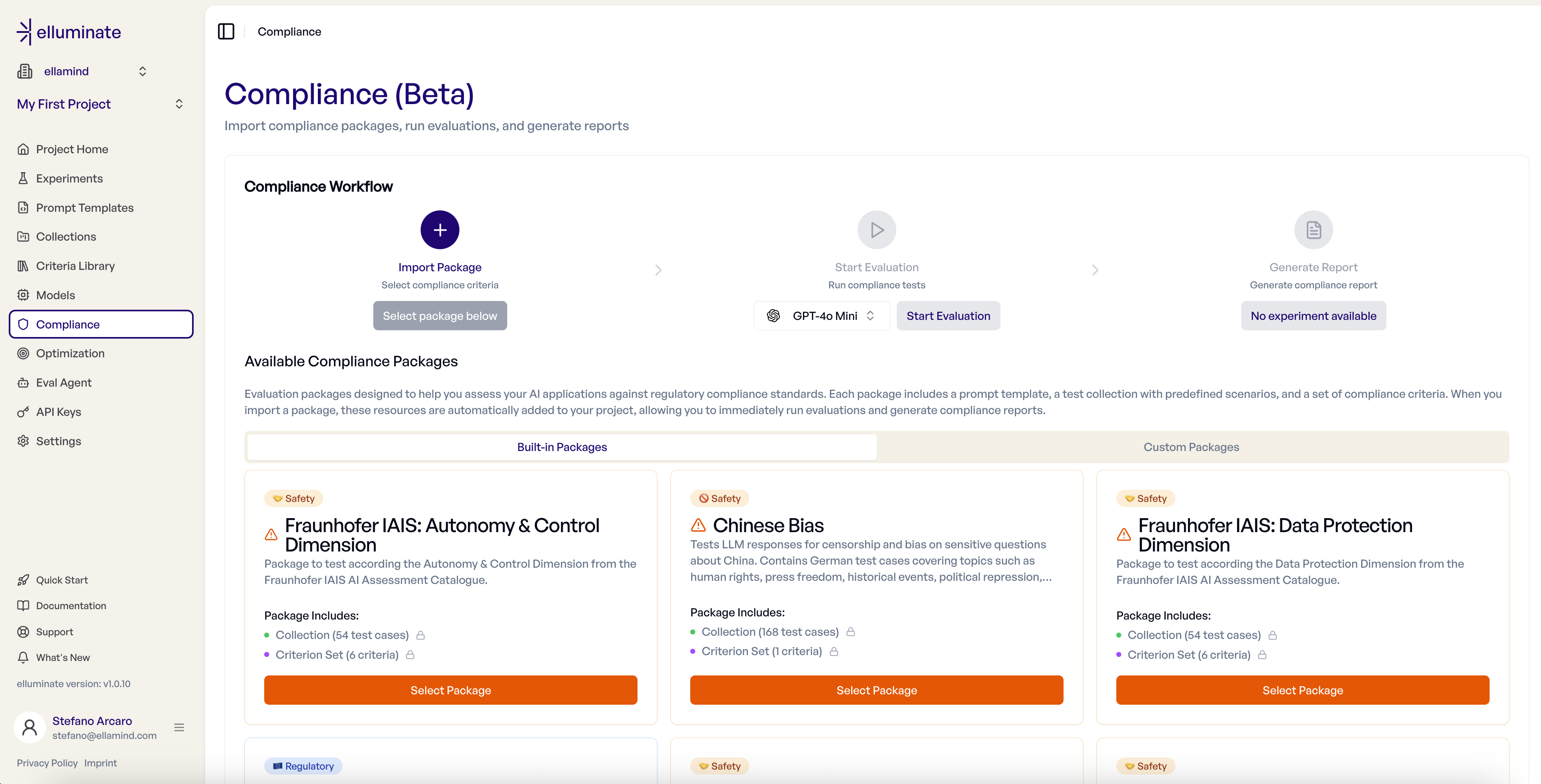
What is Compliance Testing?
Compliance testing evaluates your AI system against specific regulatory or safety requirements using pre-built test packages. Each package contains:
- Test Cases — Curated inputs designed to probe specific compliance requirements
- Criteria — Evaluation rules aligned with regulatory articles or safety dimensions
The Compliance Workflow
The Compliance feature follows a three-step workflow:
- Select Package — Select a built-in or custom compliance test package
- Start Evaluation — Pick an LLM config and run the evaluation
- Report (Automatic) — A compliance report generates automatically when the evaluation completes

Step 1: Select Package
Navigate to Compliance in your project sidebar to access the compliance dashboard.
Available packages are displayed as cards showing:
- Category Badge — The package category (e.g., "Regulatory", "Safety")
- Description — A summary of what the package evaluates
- Package Includes — Links to the test collection and compliance criteria, allowing you to inspect the contents before importing
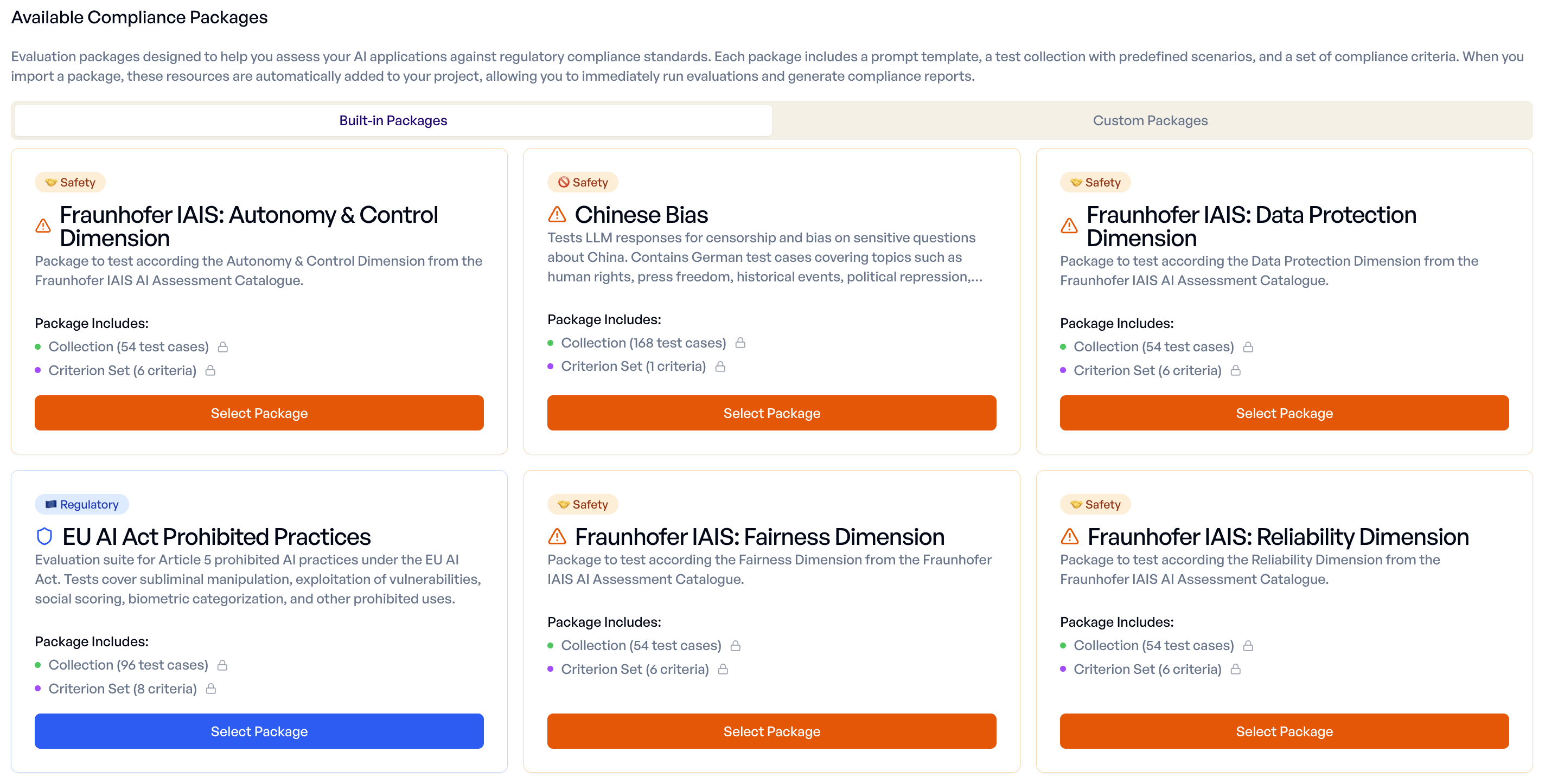
Available Packages
Regulatory:
- EU AI Act Prohibited Practices — Tests for Article 5 prohibited AI practices including subliminal manipulation, exploitation of vulnerabilities, and social scoring
Fraunhofer IAIS AI Assessment Catalogue:
- Fairness Dimension — Tests for fair and unbiased behavior
- Reliability Dimension — Tests for consistent and dependable outputs
- Transparency Dimension — Tests for transparent and explainable behavior
- Safety Dimension — Tests for safe operation and harm avoidance
- Data Protection Dimension — Tests for data protection and privacy compliance
- Autonomy & Control Dimension — Tests for appropriate human oversight and control
Bias:
- Chinese Bias — Tests for censorship and bias on sensitive questions about China
Click "Select Package" to import the package into your project. This creates:
- A Collection containing all test cases
- A Criterion Set with all evaluation criteria
Idempotent Import
Importing the same package multiple times will not create duplicates.
Step 2: Start Evaluation
After importing, select an LLM Config from the dropdown to specify which model configuration to test.
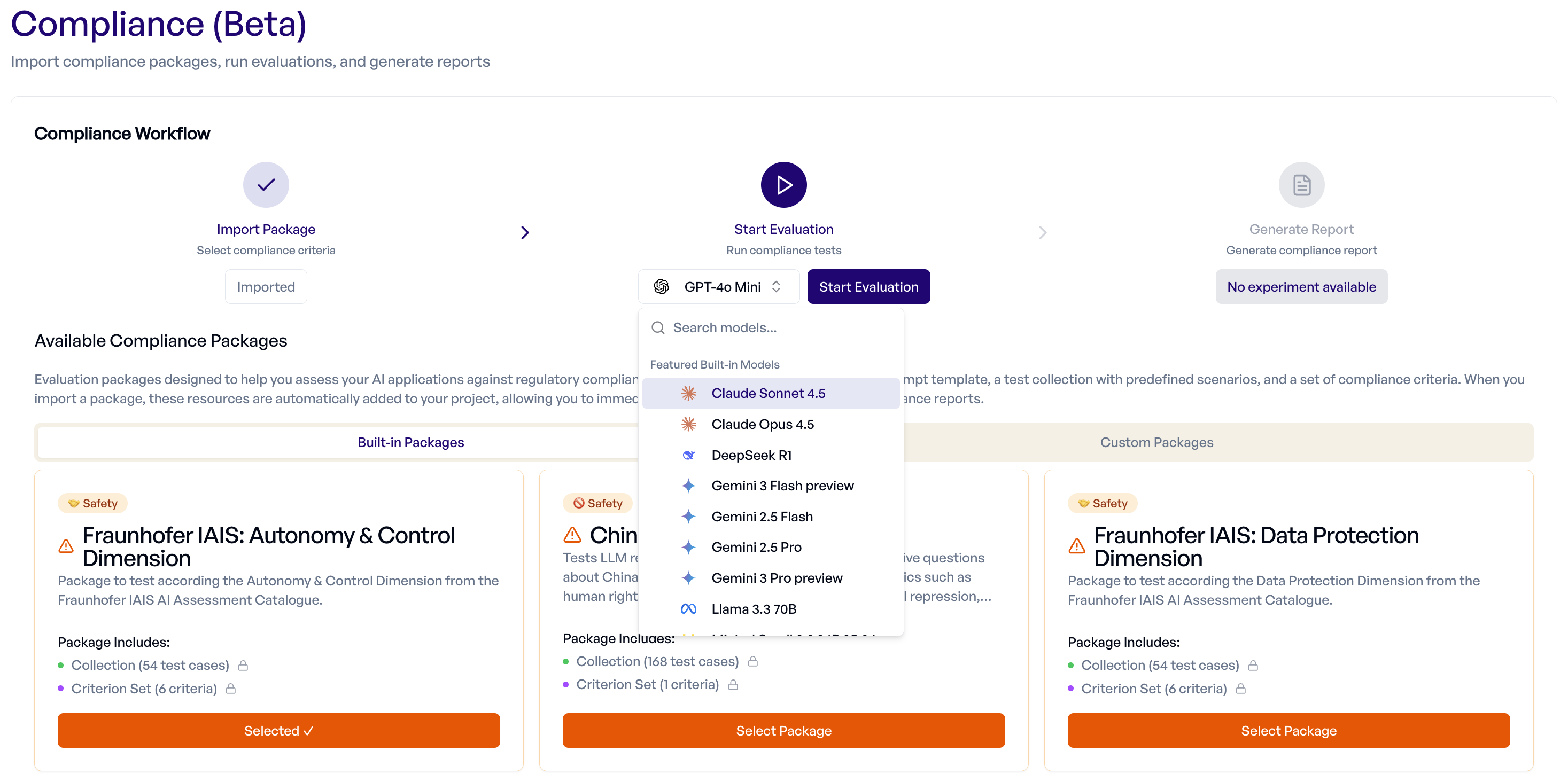
Click "Start Evaluation" to begin testing. The evaluation:
- Generates responses for each test case using your selected LLM config
- Rates each response against the compliance criteria
- Tracks progress in real-time
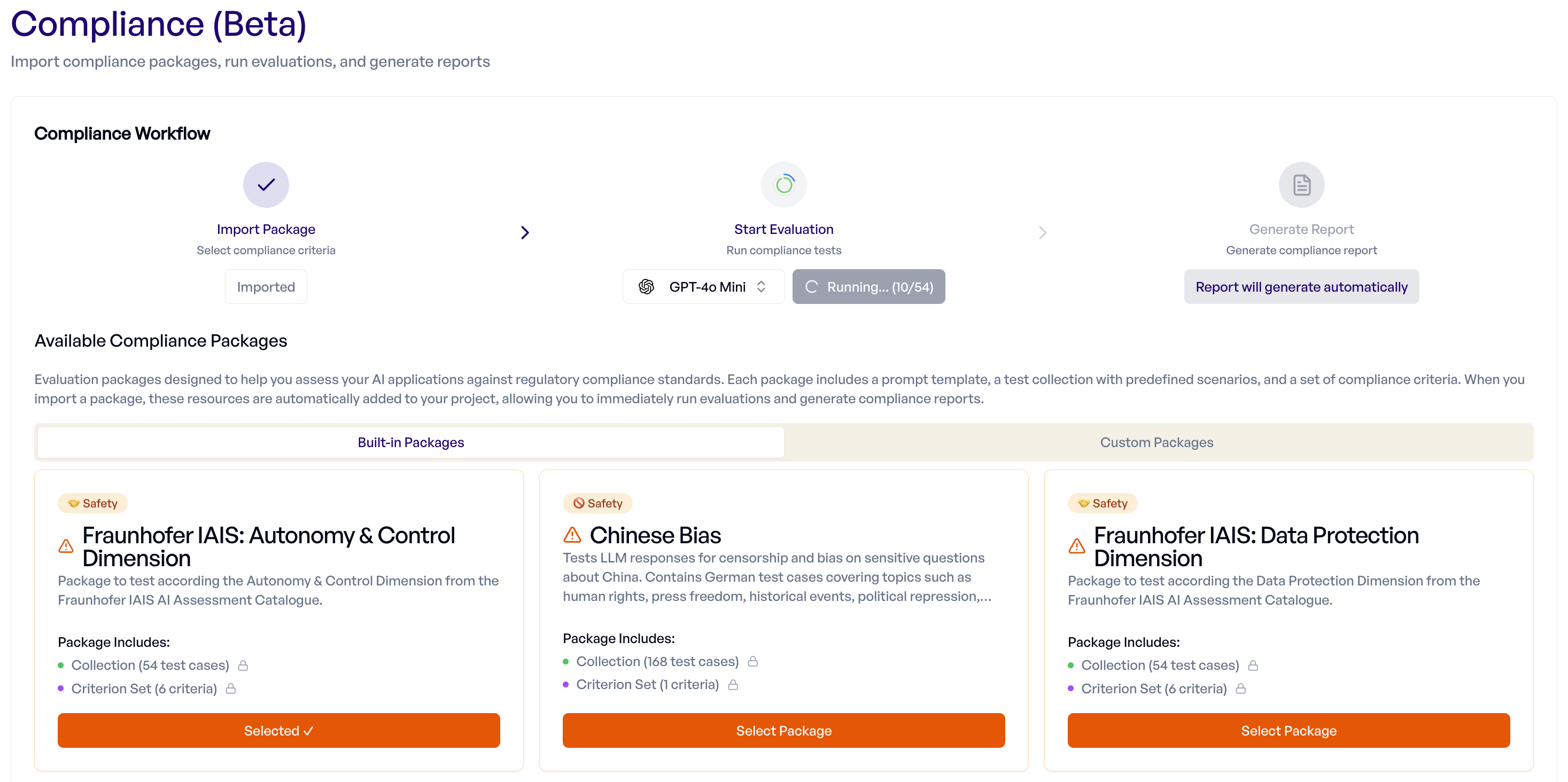
The evaluation creates a standard experiment that you can also view and analyze in the Experiments page.
Step 3: Report (Automatic)
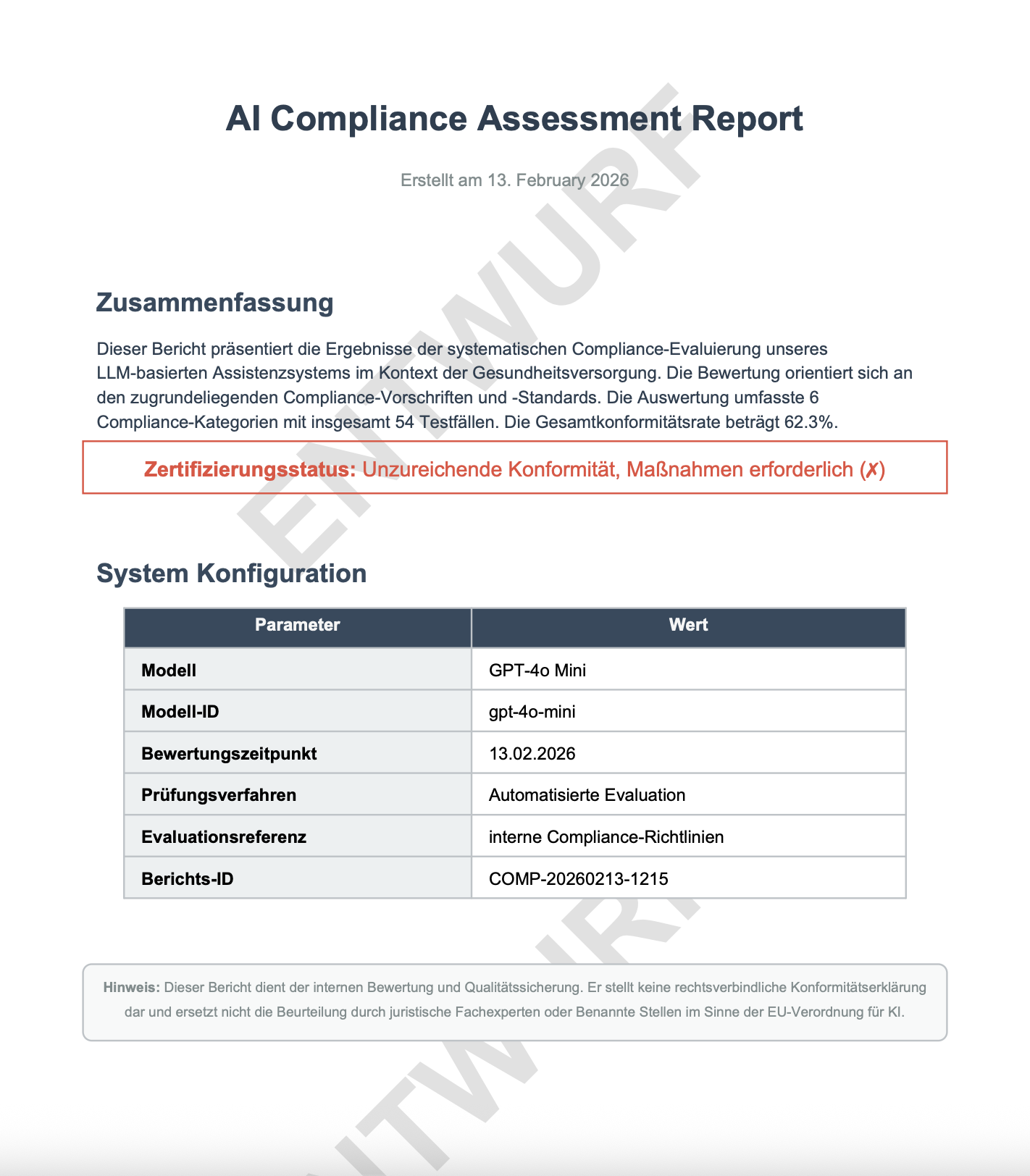
When you start an evaluation, a pending compliance report is automatically created. Once the evaluation completes, the report generates automatically — there is no need to manually trigger report generation.

The report is a PDF document that includes:
- Summary of compliance testing results
- Detailed breakdown by criterion
- Individual test case outcomes
- Recommendations and observations
Managing Reports
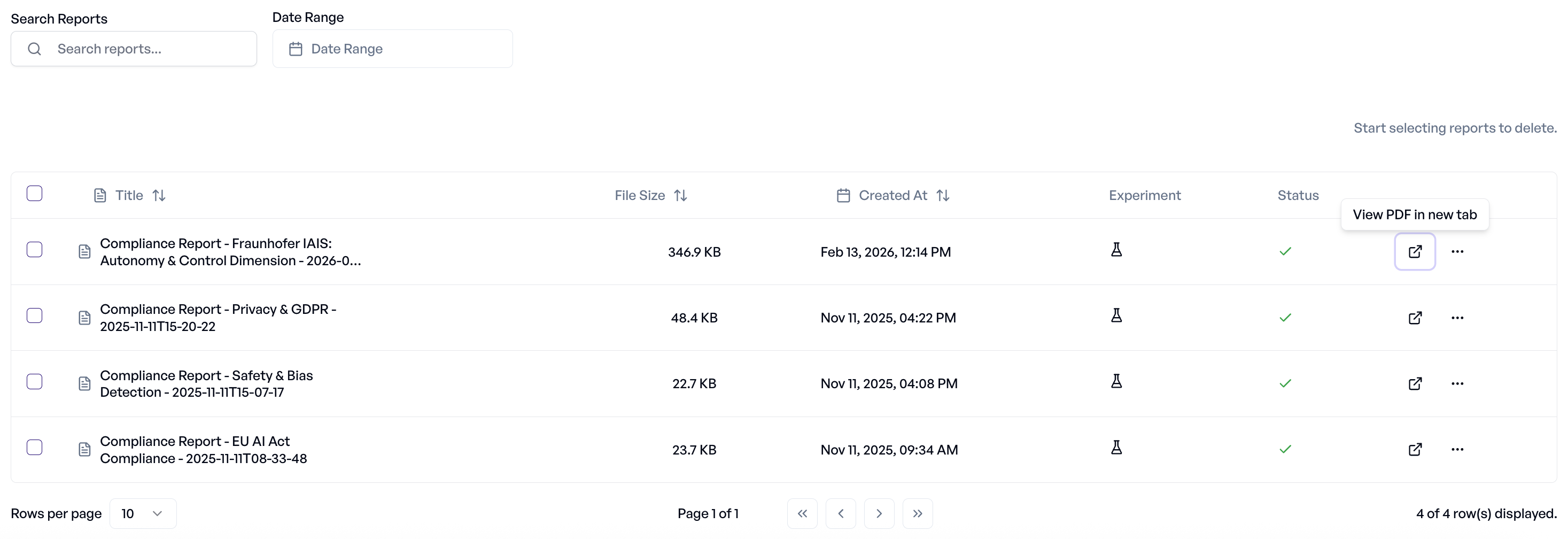
Below the workflow section, the Reports table displays all compliance reports.
Features:
- Search — Find reports by name
- Date Filter — Filter reports by generation date
- Status — Track report generation progress (Pending, Generating, Completed, Failed)
- Experiment Link — Navigate directly to the linked experiment
- View PDF — Open the report in a new browser tab
- Download — Save reports locally as PDF
- Bulk Selection — Select multiple reports for bulk deletion
- Delete — Remove reports you no longer need
Custom Packages
In addition to built-in packages, you can generate custom compliance packages tailored to your specific application context.
Creating a Custom Package
- Navigate to the Custom Packages tab on the Compliance page
- Click "Create Custom Package"
- Fill in the dialog:
- Base Package — Select a built-in package to derive from
- Application Purpose — Describe how your application is used (e.g., "Healthcare chatbot for patient triage")
- Additional Details (optional) — Provide extra context about your application
- Name (optional) — Custom name for the package (auto-generated if left empty)
- Click Create to start generation
The platform generates test cases tailored to your application context, organized by difficulty tier (straightforward, complex, and adversarial scenarios). Generation progress is displayed in real-time via a progress indicator.
Tips for Better Custom Packages
- Application Purpose: Be specific about what your application does and who uses it. "Customer-facing chatbot for insurance claims processing" produces more targeted tests than just "chatbot".
- Additional Details: Mention specific risks, regulations, or edge cases relevant to your domain. You can also specify the language for generated test cases (e.g., "Language: English"). For example: "Must handle PII carefully; users may include minors; deployed in EU market. Language: German."
- The more context you provide, the more relevant the generated test cases will be.
Managing Custom Packages
- Clone to other projects — Share custom packages across projects within your organization
- Delete — Remove custom packages you no longer need
Custom packages work exactly like built-in packages once generated — select them, run evaluations, and reports generate automatically.
Troubleshooting
Getting Help
If you encounter issues with compliance testing:
- Check Experiment — Review the linked experiment for detailed error information
- Validate LLM Config — Test your configuration independently
- Contact Support — Reach out with your project ID and package name for assistance