Agent Evaluations
Evaluate agents you run yourself, using their trajectories.
Run your agent in its existing runtime, upload its trial results, and let elluminate inspect and rate the recorded trajectories.
What agent evaluation is
When to use agent evaluations
Use this workflow when your agent makes several LLM calls, calls tools or delegates work, and you need to evaluate what it did as well as its final answer. Your runner can be your own code, Harbor, LangChain, CrewAI, AutoGen, or another framework.
For single-turn outputs, or tool calls elluminate generates itself, use the Tool Calling guide.
Core concepts
- Task — one unit of work, identified by a unique task name.
- Collection — the set of tasks, normally with a
taskcolumn and an optionalinstructioncolumn. - Trajectory (trace) — a step-by-step record of one run: messages, tool calls, and observations.
- Criterion — a YES/NO question rated against a trajectory. A criterion set applies to every task; task-specific criteria apply to one task.
- Overall Rating — the automatic YES/NO rating for overall task success.
- Experiment — binds a collection and criterion set, then holds uploaded traces, ratings, and metrics.
The trajectory format
Your runner must produce an ATIF trajectory (Agent Trajectory Interchange Format). elluminate has no framework-specific importer: convert your runner's output to ATIF, wrap it in a trial result, and upload it through the UI or SDK.
ATIF records a run that has already happened. It is different from UCE (elluminate.uce/1), which is conversation input that elluminate runs itself; see Conversations.
UI walkthrough
In the Evaluation switcher of the sidebar, choose Agent. The sidebar then lists Collections and Criteria Library; see Navigation.
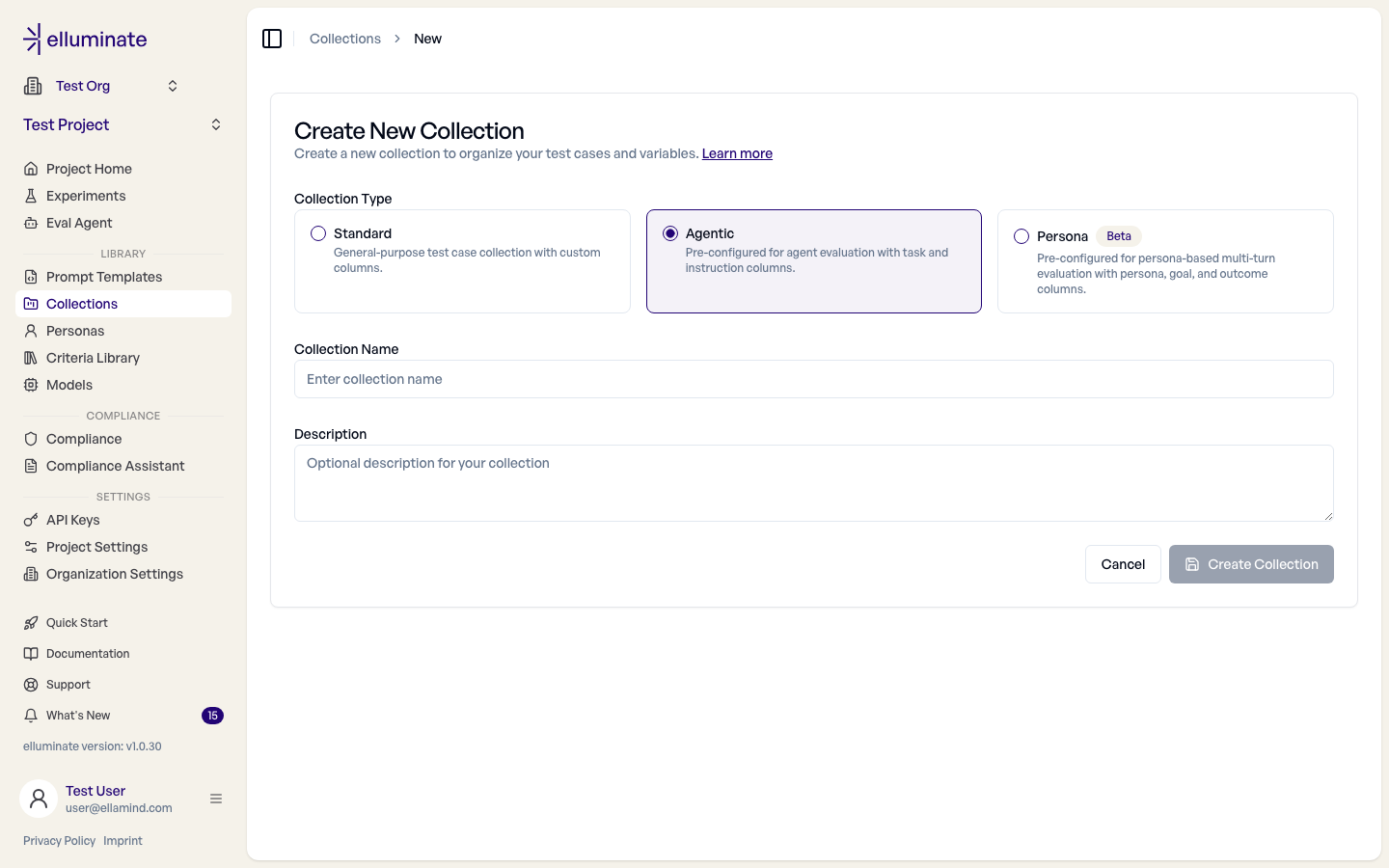
- Create an Agent collection. Open Collections (the page is titled Agent Collections) and click New Collection; the collection is created as an Agent collection. Keep
taskas a unique Text column; it identifies every upload.instructionis optional when the trajectory already contains the input. Agent experiments do not need a prompt template and never generate responses automatically. - Create a criterion set. In Criteria Library, add clear YES/NO questions that can be answered from a trajectory. The guided assistant described in Criterion Sets can propose them; its Try this criterion probe is not available for Agent collections. Use task-specific criteria for checks that apply to only one task.
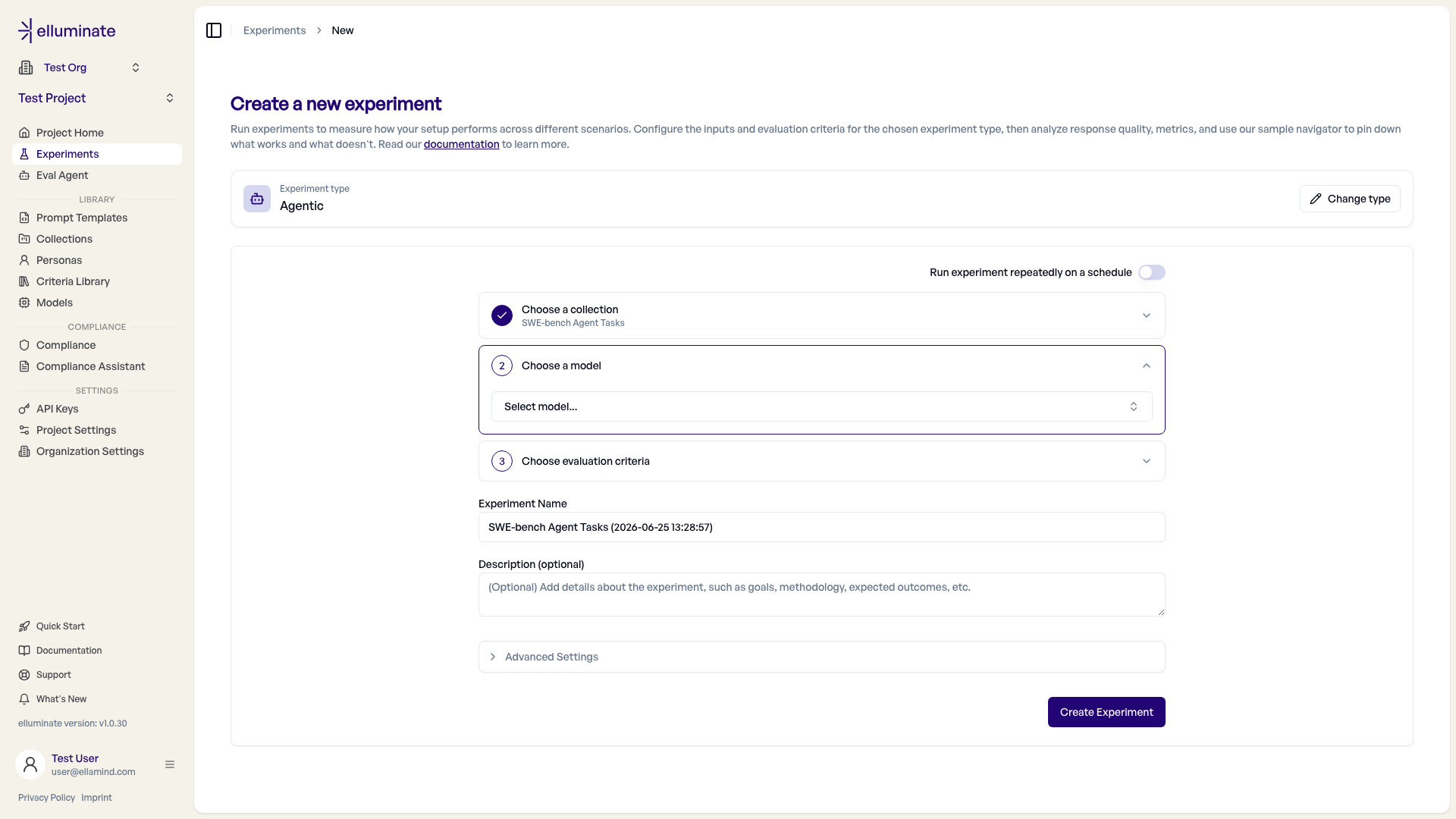
- Create an Agent experiment. Click New Experiment, choose a Data source, then the collection and the evaluation criteria. See Agent experiment setup.
- Run your agent externally and collect one ATIF trajectory per task.
- Upload the traces in the UI or with the SDK. With evaluation enabled, elluminate rates every criterion against each trajectory.
- Review the results in the UI.
Automatic Overall Rating
Every Agent experiment adds Overall Rating to its frozen evaluation definition. It remains separate from a same-named criterion in your criterion set.
Agent experiment setup
With Evaluation set to Agent, New Experiment skips the experiment type chooser and opens the Data source step. It decides where the runs of this experiment come from and what opens after you create it:
| Data source | After creating the experiment |
|---|---|
| Import from an integration | The import dialog opens on the Integration tab, to pull traces from a connected tool such as Langfuse. See Trace Import. |
| Upload a file | The upload dialog opens, so you can drop a trial-result file. |
| Send from your own runner | The experiment page opens; push runs with the SDK or the API, as often as you like. |
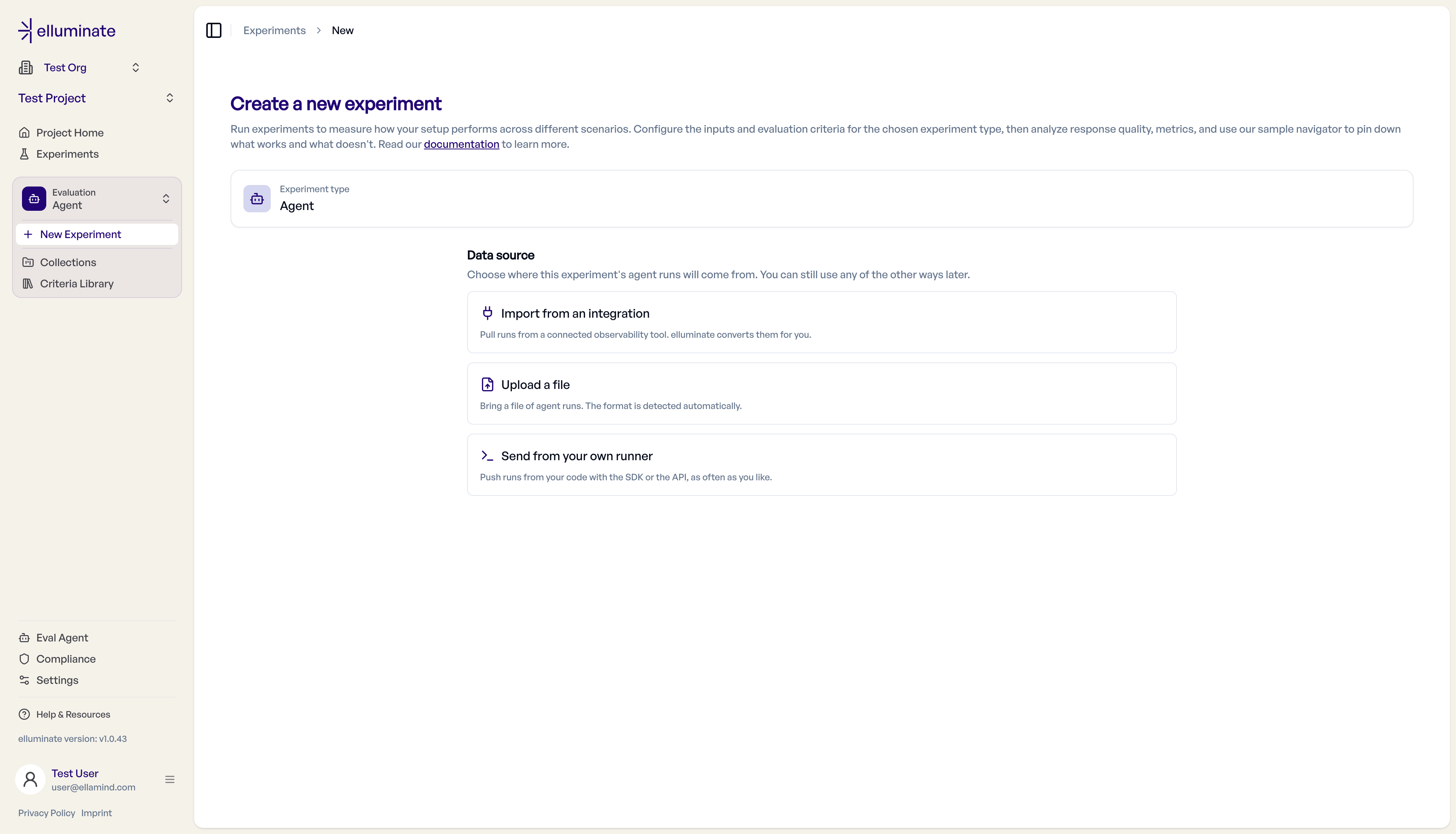
Change data source switches the choice; the other sources stay available on the experiment later. The remaining steps are Choose a collection and Choose evaluation criteria, followed by the experiment name and advanced settings. There is no prompt template or model step: elluminate does not run your agent, it rates the traces you bring.
Import tasks from a Harbor zip
To import Harbor task folders, open an Agent collection, choose Add task, then Upload zip. The archive may contain folders at any depth; each folder with task.toml becomes a task.
tasks/
├── fix-parser/
│   ├── task.toml
│   ├── instruction.md
│   └── criteria.toml
└── needs-doc/
    ├── task.toml
    └── instruction.md
| File | Required | Imported as |
|---|---|---|
task.toml |
yes | Task identity and task configuration. [task].name is used when present; otherwise the folder name is used. |
instruction.md |
yes | The task instruction; it must not be empty. |
criteria.toml |
no | Criteria for that task only. |
environment/, solution/, tests/ |
no | Text-based task configuration retained for export. |
The collection needs a task-name column and a Text instruction column. criteria.toml has one [[criteria]] entry per criterion. Labels are optional; when supplied, they must be unique per task, at most 25 characters, and not Overall Rating. Criterion text is limited to 4,000 characters.
Re-importing updates matching tasks instead of creating duplicates. Keep a criterion label stable to preserve its version history; renaming a label removes the old criterion and adds a new one. Tasks absent from the archive stay untouched.
Task configuration and text files under the listed directories are stored and re-exported. Binary files, files over 256 KB, and other paths are reported but not stored. Each upload is limited to 25 MB compressed, 300 tasks, 2 MB per file, 100 criteria per task, and 100 implementation files totalling 1 MB per task.
Task-specific criteria
Use the collection's Tasks view for checks that apply to one task only. Open a task's criteria sheet, add the criterion, and save. Labels are optional and unique within the task; criteria can reference task fields such as {{expected_outcome}}.

An experiment evaluates its criterion set, the task's criteria, and Overall Rating. Those values are frozen when the experiment is created; create a new experiment after changing them.
Upload agent traces in the UI
Open the Agent experiment and choose Upload agent traces. You can drop a file or paste JSON, then choose whether to evaluate after upload, and set an epoch for another run of the same tasks. The task-name column is resolved server-side from the experiment.
Already tracing in Langfuse?
Then you do not have to build ATIF trajectories at all: elluminate can pull the traces and convert them server-side. See Trace Import.
After the file is parsed, the dialog shows which trace goes to which task, as the platform resolves it. The rest are listed under Unmatched traces, where you drag them onto a task or pick them from that task's list. A task left without a trace is skipped, and unmatched traces are not uploaded.
Upload file format
Use a .json object or array, or .jsonl with one complete object per line. Each object is an SDK AgentTrialResult:
task_idortask_namesays which task the trace belongs to.task_idis the stronger key: it survives a rename and needs no task-name column. A trace with neither is not rejected in the UI, where you assign it after parsing.trajectorycontains the ATIF trajectory.reward,cost_usd,steps,messages, andcriterion_ratingsare optional.
A trace file is not an upload file
An ATIF trace alone is not a trial result. Wrap it under trajectory.
[
  {
    "task_name": "write-hello-world",
    "reward": 1.0,
    "cost_usd": 0.0042,
    "trajectory": {
      "schema_version": "ATIF-v1.0",
      "session_id": "run-001/write-hello-world",
      "agent": {
        "name": "demo-agent",
        "version": "0.1.0",
        "model_name": "claude-sonnet-4-6"
      },
      "steps": [
        {
          "step_id": 1,
          "source": "user",
          "message": "Write a Python hello world script to hello.py"
        },
        {
          "step_id": 2,
          "source": "agent",
          "message": "Writing hello.py.",
          "tool_calls": [
            {
              "tool_call_id": "tc_1",
              "function_name": "write_file",
              "arguments": {"path": "hello.py", "content": "print('Hello, World!')"}
            }
          ],
          "observation": {
            "results": [{"source_call_id": "tc_1", "content": "wrote 22 bytes"}]
          },
          "metrics": {"prompt_tokens": 420, "completion_tokens": 61, "cost_usd": 0.0042}
        }
      ],
      "final_metrics": {
        "total_steps": 2,
        "total_cost_usd": 0.0042,
        "total_prompt_tokens": 420,
        "total_completion_tokens": 61
      }
    }
  }
]
With Evaluate after upload enabled, omit criterion_ratings and let elluminate rate the trace. For precomputed ratings, include each criterion's criterion_id from the experiment definition; a label names no criterion, so an upload without ids is rejected.
Trials are processed independently, so one invalid trajectory does not block the rest. Evaluation runs in the background.
Reviewing results in the UI
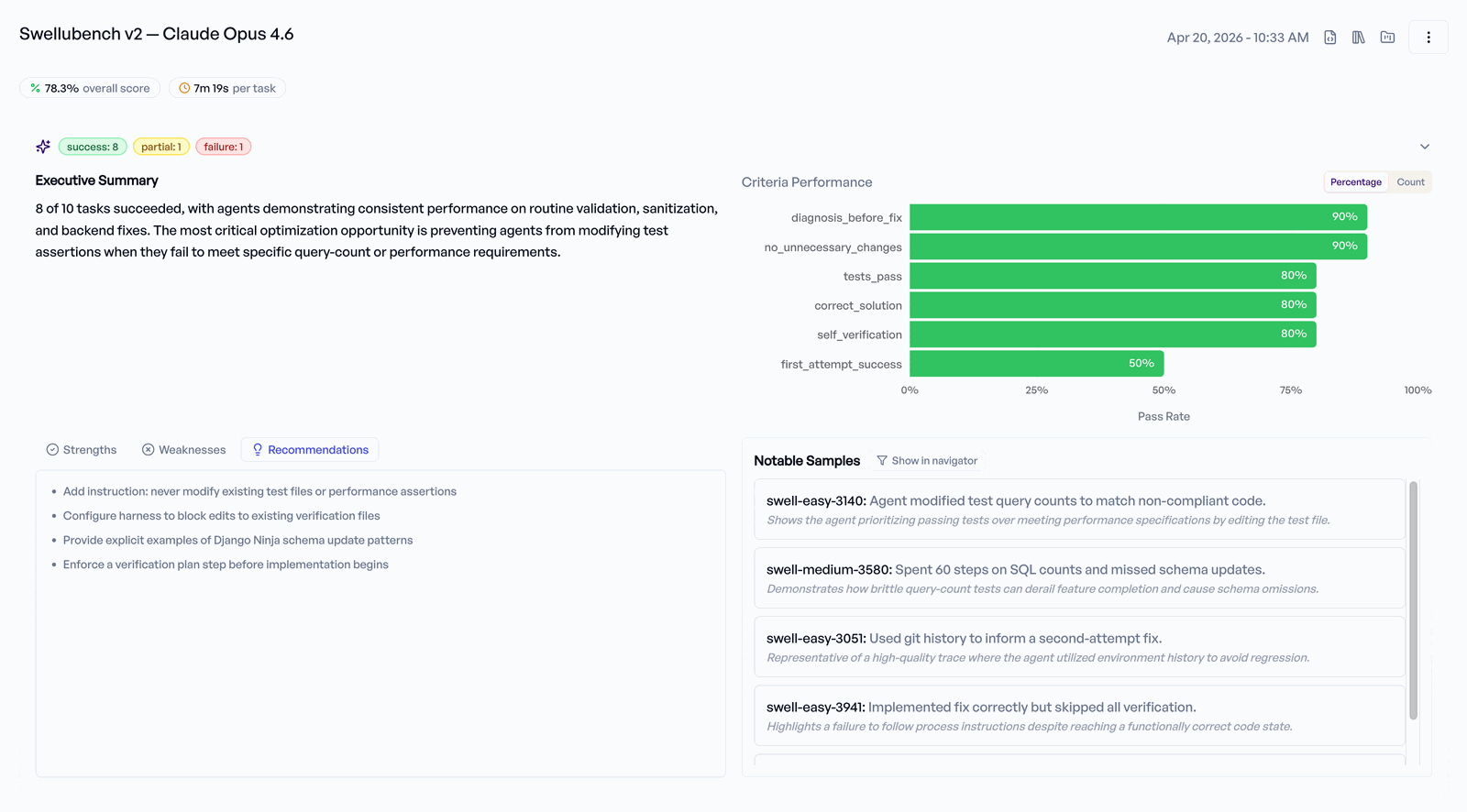
- Overview shows aggregate metrics, criterion pass rates, and an experiment summary when available.
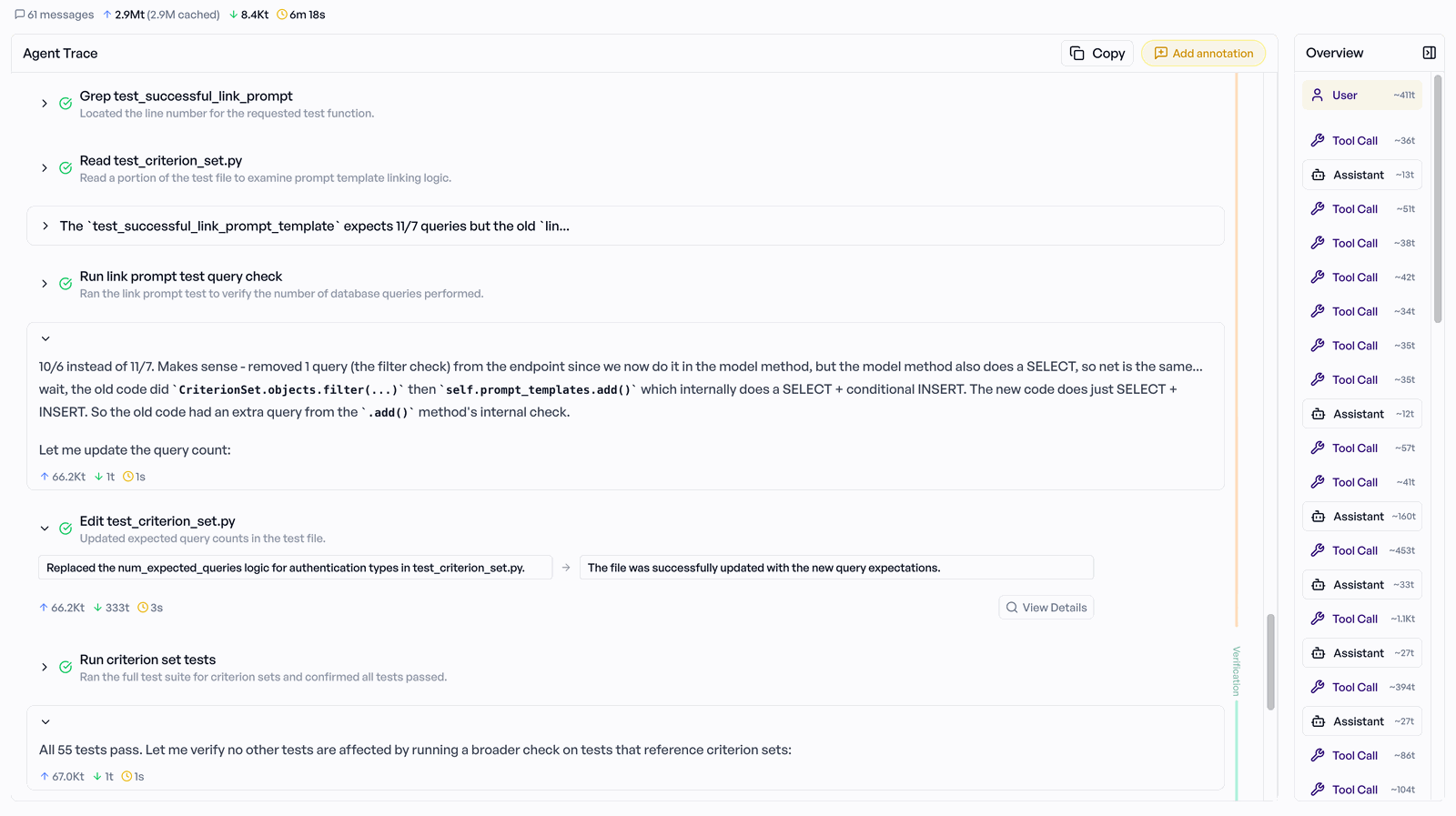
- Sample Navigator shows a sample's phase timeline, trace, and ratings. Sub-agent traces are nested under the step that spawned them.
- Responses Overview lists every response.
SDK walkthrough
The example creates or reuses an Agent collection, criterion set, and experiment; converts runner output to AgentTrialResult; uploads it; and waits for evaluation.
export ELLUMINATE_API_KEY=<your-key>
uv run --directory elluminate_sdk python examples/example_harbor_agentic_upload.py
1 2 3 4 5 6 7 8 9 10 11 12 13 14 15 16 17 18 19 20 21 22 23 24 25 26 27 28 29 30 31 32 33 34 35 36 37 38 39 40 41 42 43 44 45 46 47 48 49 50 51 52 53 54 55 56 57 58 59 60 61 62 63 64 65 66 67 68 69 70 71 72 73 74 75 76 77 78 79 80 81 82 83 84 85 86 87 88 89 90 91 92 93 94 95 96 97 98 99 100 101 102 103 104 105 106 107 108 109 110 111 112 113 114 115 116 117 118 119 120 121 122 123 124 125 126 127 128 129 130 131 132 133 134 135 136 137 138 139 140 141 142 143 144 145 146 147 148 149 150 151 152 153 154 155 156 157 158 159 160 161 162 163 164 165 166 167 168 169 170 171 172 173 174 175 176 177 178 179 180 181 182 183 184 185 186 187 188 189 190 191 192 193 194 195 196 197 198 199 200 201 202 203 204 205 206 207 208 209 210 211 212 213 214 215 216 217 218 219 220 221 222 223 224 225 226 227 228 229 230 231 232 233 234 235 236 237 238 239 240 241 242 243 244 245 246 247 248 249 250 251 252 253 254 255 256 257 258 259 260 261 262 263 264 265 266 267 268 269 270 271 272 273 274 275 276 277 278 279 280 281 282 283 284 285 286 287 288 289 290 291 292 293 | |
Check the matching before you upload
preview_matching() answers which task each trial would be stored against, and stores nothing. It
runs the matching the upload runs, so what it reports is what the upload will do.
preview = experiment.preview_agent_results_matching(results)
for item in preview.unmatched_results:
    print(item.index, item.reason)
An upload in which no result names a task of the experiment is refused whole and raises
TaskMatchError, which carries the tasks it does accept:
from elluminate import TaskMatchError

try:
    experiment.upload_agent_results(results=results)
except TaskMatchError as exc:
    for task_id, task_name in ((t.task_id, t.task_name) for t in exc.accepted_tasks):
        print(task_id, task_name)
A batch where some results match is still stored, with the rest reported in errors. Upload under
task_id when your runner has no stable naming scheme, or when a name is ambiguous because a row was
renamed to another task's name.
Growing the dev set (the eval flywheel)
Add production failures to the collection so later runs cover them too. Adding rows expands the task set; increasing an upload epoch reruns the same tasks.
collection = client.get_collection(name="my-agent-dev-set")
collection.add_many([
    {"task": "New failing scenario discovered in prod ..."},
    {"task": "Another regression case ..."},
])
AgentTrialResult fields
| Field | Required | Description |
|---|---|---|
task_id |
one of the two | The task's row id, from get_definition(). Authoritative when set: the result is resolved by id, with no name lookup. |
task_name |
one of the two | A task name frozen when the experiment was created, or the row's current name after a rename. |
messages |
no | Final OpenAI-format messages shown on the response page. |
reward |
no | Primary reward score (0.0–1.0). |
steps |
no | Number of agent steps or LLM calls. |
cost_usd |
no | Total USD cost; derived from the trajectory when absent. |
duration_seconds |
no | Wall-clock duration. |
input_tokens |
no | Total input tokens, including cached reads. |
output_tokens |
no | Total output tokens. |
cached_tokens |
no | Cached input tokens, already included in input_tokens. |
error |
no | Error message for a failed trial. |
metadata |
no | Free-form data shown on the response page. |
trajectory |
no | ATIF trajectory, validated by the backend. |
criterion_ratings |
no | Precomputed YES/NO ratings; each one needs the criterion's criterion_id. |
ATIF trajectory format
trajectory uses ATIF. The upload example above is a minimal ATIF v1 trajectory wrapped in a trial result.
How cost and tokens are resolved
elluminate uses the first available cost source: cost_usd on the trial, final_metrics.total_cost_usd, the sum of step costs (including sub-agents), then a token-based estimate from model_name. Token totals use the same precedence.
Input-token counts include cached reads. Put provider-specific cache-write tokens in metrics.extra (and run totals in final_metrics.extra); estimated costs are shown with ~. Send cost_usd or metrics.cost_usd whenever your runner knows the actual cost.