Criterion Sets
Organize evaluation criteria into reusable sets that enable consistent assessment
Criterion sets are collections of evaluation criteria that define how AI responses should be assessed. They enable systematic evaluation by grouping related criteria together, so they can be used easily in your experiments.
What are Criterion Sets?
A criterion set contains one or more criteria - binary evaluation questions that rate AI responses as "pass" or "fail." Each criterion asks a specific yes/no question about response quality, such as "Does the response answer the question accurately?" or "Is the response free from harmful content?".
Criterion sets provide consistency by applying the same evaluation standards across your experiments, enable reusability through shared criteria, and improve efficiency by reducing duplicate work when evaluating similar prompt variations.
Key Concepts
Criteria: Individual evaluation questions that assess specific aspects of response quality. Each criterion must be answerable with yes/no, where "yes" means the response did well, and should target one particular aspect of response quality.
Collection Compatibility: Criterion sets must be compatible with the data they are evaluated on. Compatibility means that criteria placeholders (e.g., {{user_question}}) match the column names of the collection exactly, or the field names of the scenario set in Persona experiments (including {{expected_conversation_outcome}}, see Scenarios). When creating experiments, only compatible criterion sets are available for selection. When no placeholders are used in the criteria, compatibility is guaranteed with any collection or scenario set.
Template Linking: Criterion sets can be linked to prompt templates. This association determines which criterion set is selected by default for experiments with this prompt template. An alternative approach is to select the criterion set at experiment creation time. See Linking to Templates.
Version Control: Automatic versioning tracks changes to criteria for reproducibility, ensuring experiments remain consistent even when criteria are updated.
Creating a Criterion Set
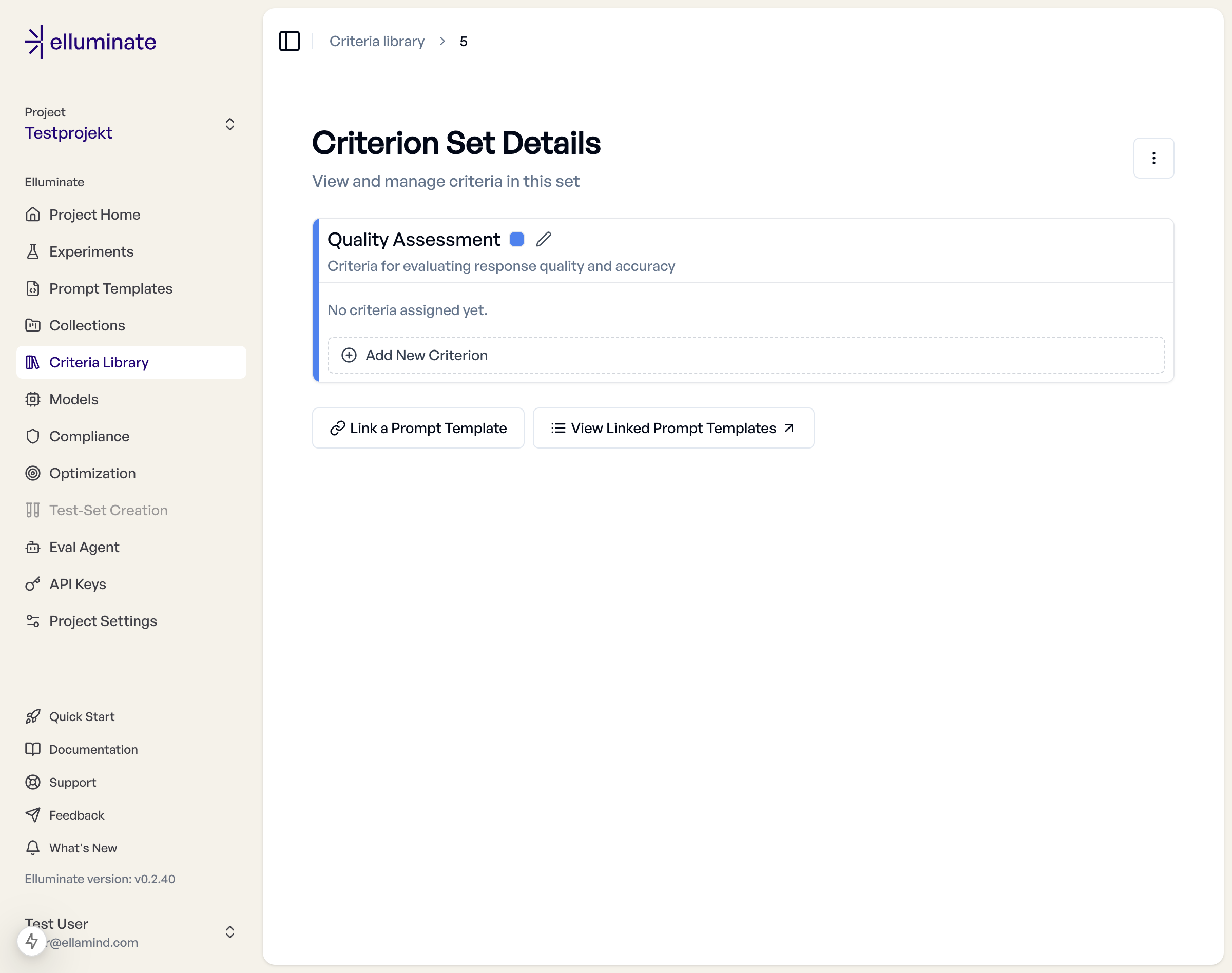
Open Criteria Library in the sidebar to see all criterion sets of the project. The entry is available for every evaluation type (Single-turn, Persona and Agent) and shows the same sets. Click New Criterion Set to open the criteria workbench.
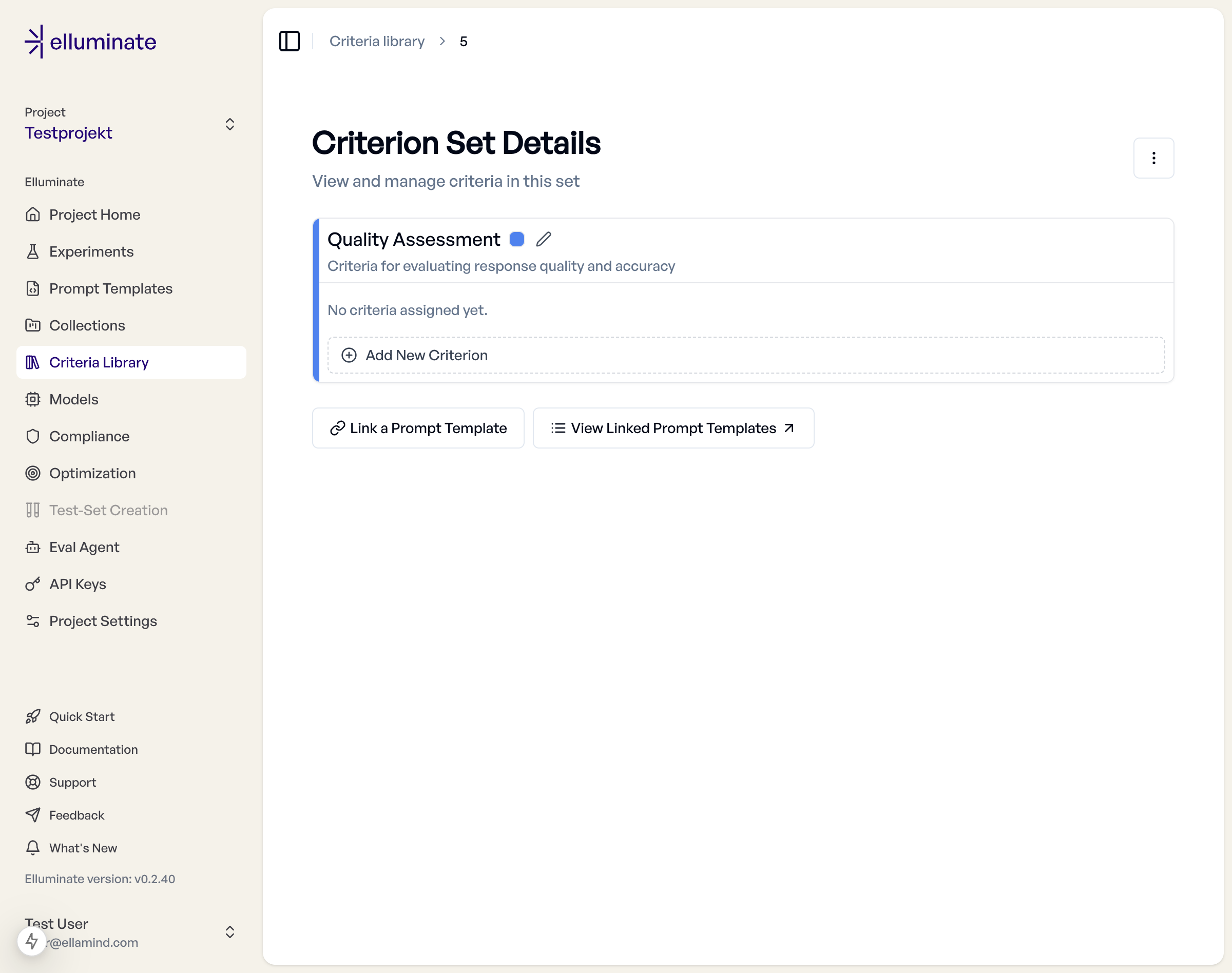
Create the collection (or scenario set) you want to evaluate first. The workbench works against its columns, so it is the one prerequisite for the assistant.
The Criteria Workbench
The workbench has two halves: the Assistant chat on the left and the Criteria of the set on the right. Above them is the header with the set's name, its description and the data the criteria are written against. The same workbench opens when you click an existing set in the Criteria Library.
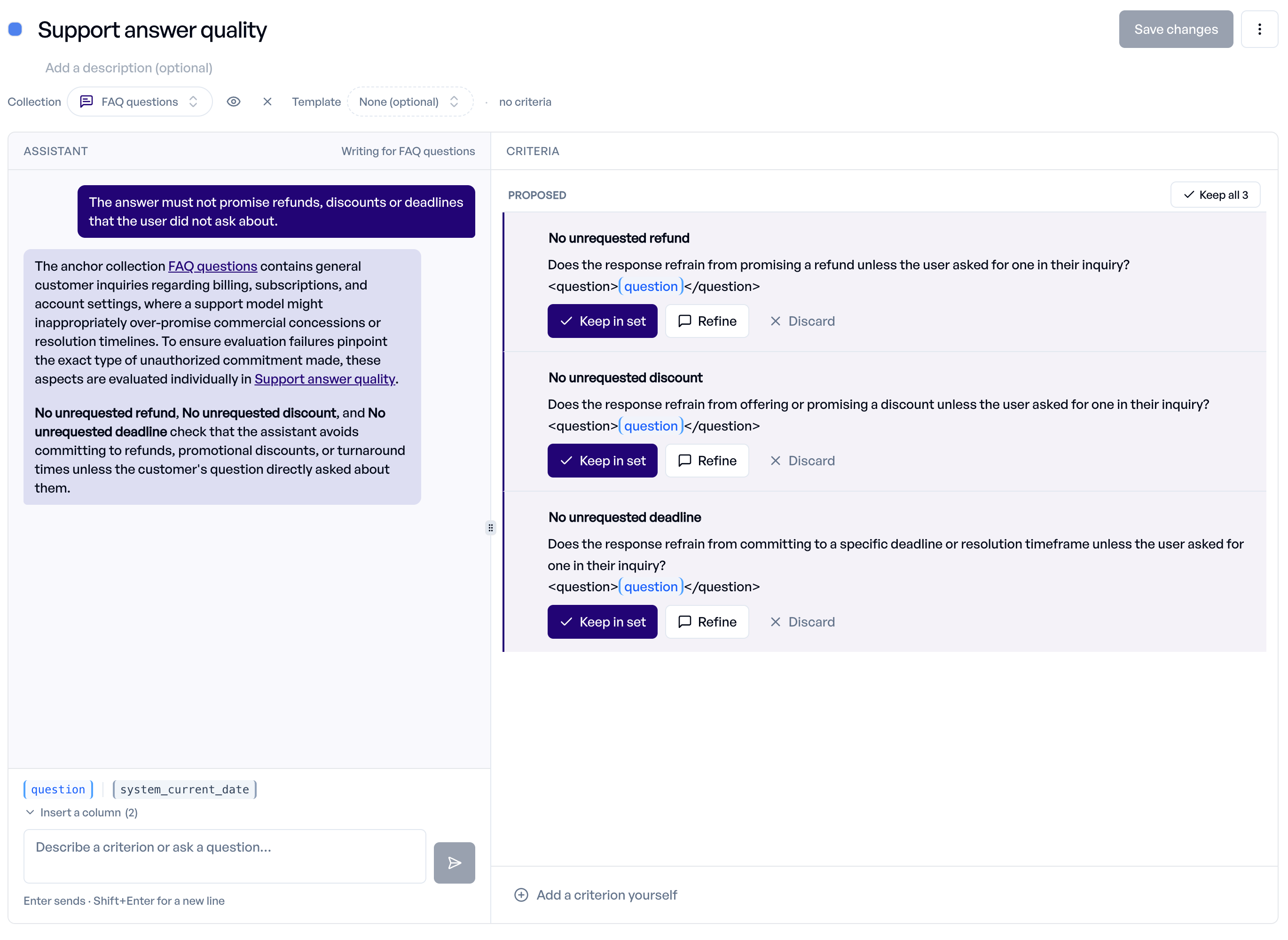
Set Details and Data
| Field | Required | Description |
|---|---|---|
| Name | Yes | Type it straight into the title ("Name this set"). Must be unique in the project. |
| Description | No | Short explanation of the set's purpose, below the name. |
| Colour | No | The dot next to the name picks the colour the set is shown with. |
| Collection | For the assistant | "Pick a collection". Its columns are what criteria may refer to as {{placeholders}}. All collection types are listed, including the scenario sets of Persona evaluations. The × next to it removes the selection. |
| Template | No | "None (optional)". A prompt template to write against. Only templates compatible with the selected collection are offered. |
A chip next to the collection shows its first row, so you can see what a column holds. The template is context for the assistant and for trying a criterion on collections with variables; it is not stored with the set. Use Linking to Templates to connect a set to templates.
The set remembers its collection: it is stored with the set and restored when you open it again. Changing the collection of a set that already has criteria asks for confirmation (Switch and re-check). The new collection is stored on the set right away, and the assistant re-checks every criterion against it and reports those that use columns the new collection lacks.
Writing with the Assistant
Pick a collection first; until then the chat input is disabled ("Pick a collection first"). Then either:
- describe what a good response should do, or must never do, for example "The answer must name the refund timeline", or
- ask the assistant to look at your collection and propose criteria.
The assistant turns your description into yes/no criteria. It can also answer a question about writing criteria or comment on a criterion. It does not rewrite what you wrote unless you ask.
Each criterion it proposes appears under Proposed on the right. Decide per proposal:
| Action | Effect |
|---|---|
| Keep in set | Moves the criterion to In the set. |
| Refine | Sends it back to the assistant so you can say what to change. |
| Discard | Drops the proposal. |
| Keep all N | Keeps every open proposal at once. |
A proposal that improves an existing criterion shows Replaces: with the old wording and offers Replace in set instead of Keep in set.
Kept criteria are part of the set draft. Nothing is stored until you save.
Writing Criteria Yourself
Click Add a criterion yourself to add an empty row. Enter a Short label (optional; elluminate generates one if you leave it empty) and the criterion text, then Save criterion (Ctrl+Enter). Click any criterion in the set to edit it in place, or remove it with the × on its row.
After you write or edit a criterion by hand, the assistant may comment on it. A criterion it finds weak is marked Needs work with its reason; click the marker to refine it in the assistant.
Each criterion should:
- Start with "Does" or "Is" for binary evaluation
- Focus on observable response characteristics
- Use clear, unambiguous language
- Target one specific aspect of response quality
Example Criteria:
- "Does the response provide accurate information?"
- "Is the response free from harmful content?"
- "Does the response follow the requested format?"
Inserting Placeholders
Under Insert a column the workbench lists the columns of the selected collection as chips. Click a chip to insert its {{placeholder}} into the criterion you are writing; hover it to see the value in the first row.
- Conversation columns hold structured data and cannot be substituted into a criterion. They are shown greyed out, and a criterion that uses one shows a warning.
- A placeholder that is not a column of the selected collection is flagged on the row ("is not a column of the selected collection, so this set would not run against it").
- The chip marked system inserts a system variable, which needs no column.
Try this Criterion
After the assistant proposes a criterion it can offer a Try this criterion card. Click Run on N rows to test the wording on real data before you keep it.
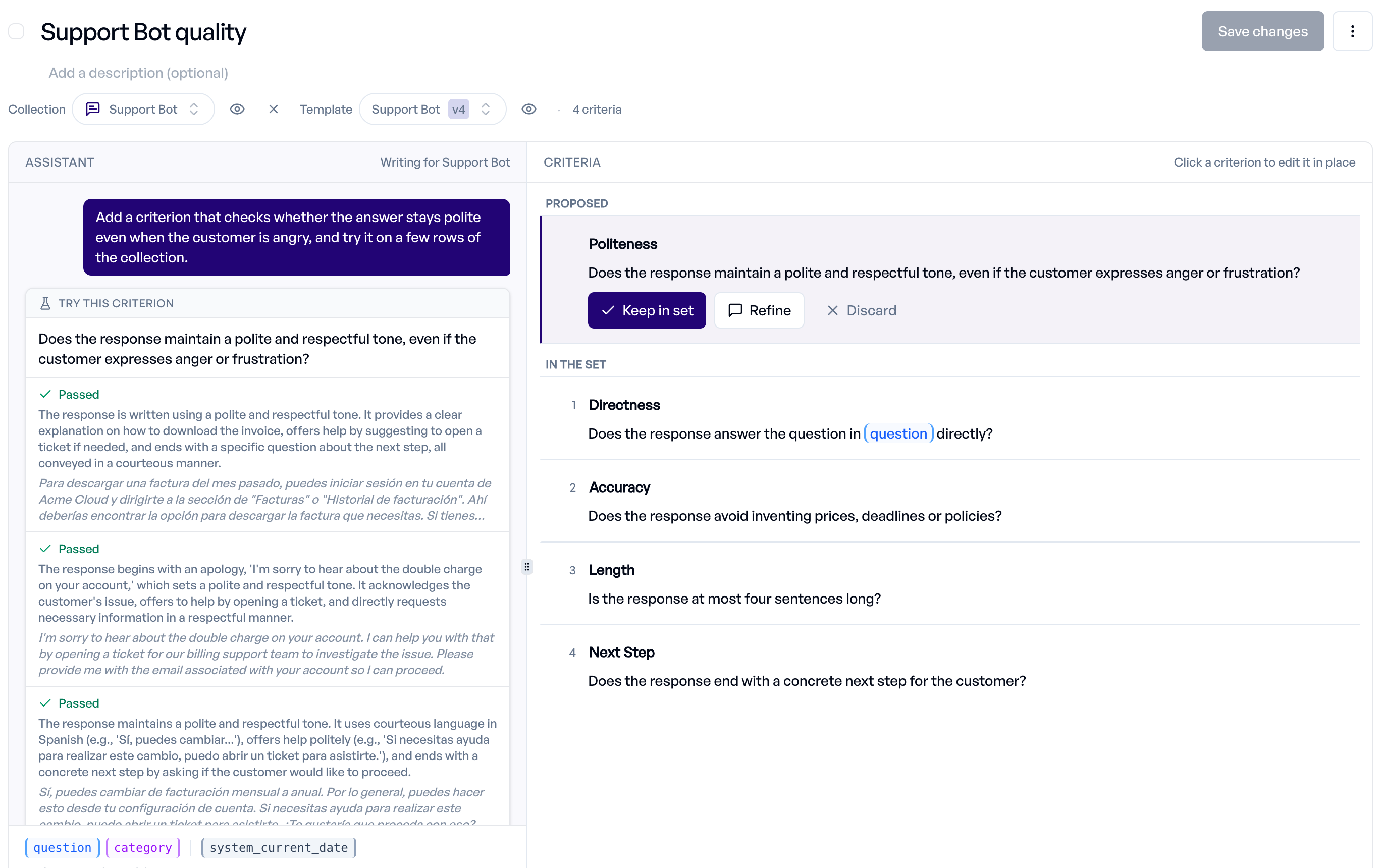
The probe takes the first rows of the collection (up to three), generates an answer for each row and judges it against the criterion. Each row shows Passed or Failed with the judge's reasoning and the generated answer, so you can see whether the criterion separates good from bad answers. Nothing is saved, but every row costs one generation and one judgement.
- Collections with variables need a prompt template: select one under Template first. Collections with a conversation or raw input column carry the whole prompt and need none.
- The probe is available for Single-turn collections. For Persona and Agent collections it is not available yet.
Refining Saved Criteria
Click Refine in the assistant on a criterion in the set to send it to the assistant. A collection must be selected. The criterion appears as "Refining: ..." above the input: say what to change, or send the message empty to have the assistant review it. Stop refining this criterion cancels. The assistant answers with a proposal that replaces the criterion.
Version History
Saving a changed criterion creates a new version; unchanged criteria keep their version. Saved criteria show a version badge (for example v2). Click it to show earlier versions with their dates. Experiments keep the version they ran with.
Saving
| Situation | Button |
|---|---|
| New set | Create criterion set. Needs a name and at least one criterion, and no empty criterion. The reason is shown next to the button while it is disabled. |
| Existing set | Save changes. Enabled once something changed. |
Saving writes only what changed, so untouched criteria keep their version history and existing ratings. If you leave with unsaved changes, elluminate asks whether to save them first.
The three-dot menu on an existing set offers Copy Criterion Set To... and Delete Criterion Set. Deleting a set removes it from all linked prompt templates and deletes the experiment schedules that use it.
Platform sets are read-only
Sets provided by the platform open read-only without the assistant. Copy one to get an editable version. The collection picker still works on them, to check which placeholders a collection can fill; the choice is not saved.
System Variables
In addition to collection-provided placeholders, criteria support a built-in system variable that elluminate fills in automatically at evaluation time:
| Variable | Value | Description |
|---|---|---|
{{system_current_date}} |
Today's date in ISO format (YYYY-MM-DD) |
Substituted automatically each time the criterion is evaluated, computed fresh at evaluation time. |
Use it to keep date-dependent criteria current without hardcoding a date that goes stale and has to be updated before every experiment:
In the workbench, click the system chip under Insert a column. It is auto-filled, so it does not need a matching collection column and is not counted as a required placeholder for collection compatibility — a criterion that uses only {{system_current_date}} stays compatible with any collection.
Info
System variables apply to criteria only. Ordinary placeholders without the system_ prefix (e.g. {{current_date}}) remain regular collection-provided variables.
Linking to Templates
Criterion sets can be linked to prompt templates. With Evaluation set to Single-turn, open Prompt Templates and select a template: its criteria section offers Link Existing Criterion Set (or Change Linked Criterion Set), Create New Criterion Set (an empty set named after the template) and Generate Criteria. A linked set opens in the same workbench with the template preselected, with Open in library and Unlink from template next to it.
When you create experiments, the criterion set linked to your selected prompt template will be selected by default, but it is possible to replace it with another compatible one. The evaluation system generates responses, applies criteria to evaluate each response, and produces pass/fail ratings for each criterion.
Advanced Features
Template-Set Associations
Criterion sets can be linked to multiple templates, but this association is not fixed, and can be adjusted to your needs in each experiment. This flexibility allows you to:
- Apply universal criteria (safety, basic quality) across all templates
- Use specific criteria for particular use cases (customer service, technical documentation)
- Combine different evaluation focuses for comprehensive assessment
Managing Associations:
- Link a different criterion set to existing templates
- Unlink sets while preserving historical experiment data
Results and Analysis
Experiment results show performance by individual criterion, including pass rates for each criterion, response-level ratings showing which criteria passed/failed, and aggregate scores combining all criteria into overall template performance.
When comparing experiments over time, you can analyze trends in criterion performance to understand which aspects of your prompts are improving or need attention.
Best Practices
Set Organization Strategy
Organize criterion sets by purpose to maintain clarity and reusability. Common groupings include:
- Accuracy Sets - Content correctness, factual accuracy, completeness
- Safety Sets - Harmful content, bias detection, compliance requirements
- Quality Sets - Clarity, coherence, professional tone
- Functional Sets - Task completion, format adherence, instruction following
Criteria Design Guidelines
Design criteria to be comprehensive yet focused. Ensure your criteria cover all important evaluation dimensions while maintaining balanced expectations that are neither too lenient nor impossibly strict.
Focus on actionable feedback - results should indicate specific improvement areas rather than just pass/fail status. Use clear, unambiguous language that minimizes subjective interpretation.
Workflow Integration
Create the collection or scenario set before the criterion set: the assistant needs its columns to propose criteria. Use Try this criterion to check the wording on real rows before you keep it, and create criterion sets for each major evaluation category. Link the most commonly used to your prompt template.
Validate criteria through initial experiment runs and iterate based on evaluation results. For team collaboration, use consistent criterion sets across team members and maintain clear documentation of what each criterion tests.
SDK Integration
For programmatic criterion set management, use the elluminate SDK:
from elluminate import Client

client = Client()  # Uses ELLUMINATE_API_KEY env var

# v1.0: get_or_create_prompt_template - messages is part of lookup
template, _ = client.get_or_create_prompt_template(
    name="Product Review Template",
    messages="Please review this product: {{product_name}}. {{product_description}}",
)

collection, _ = client.get_or_create_collection(
    name="Reviews Collection",
    defaults={
        "variables": [
            {
                "product_name": "elluminate Socks",
                "product_description": "elluminate Socks are the best socks in the world.",
            }
        ]
    },
)

# v1.0: get_or_create_criterion_set (name is lookup key)
criterion_set, _ = client.get_or_create_criterion_set(
    name="Shipping-related Criteria",
    defaults={"criteria": ["Is the review at least two sentences long?"]},
)

# v1.0: Rich model method - link criterion set to template
criterion_set.link_template(template)

experiment = client.run_experiment(
    name="Experiment with Criterion Set",
    prompt_template=template,
    collection=collection,
    criterion_set=criterion_set,
    llm_config=llm_config,
)
For complete SDK documentation, see the API Reference.
Troubleshooting
Common Issues
Inconsistent Results: Verify that criteria are written as binary yes/no questions. Compound questions that test multiple aspects can lead to inconsistent evaluations. A positive answer to the question will lead to a "Pass" Rating, so consider if your case should include criteria written as negative questions.
Missing Evaluations: Confirm that your LLM responses are in a format compatible with your criteria. Some criteria may require specific response structures or content types.
Criterion Set Not Available for Experiment: If your criterion set doesn't appear when creating an experiment, check that the criteria placeholders match your collection's column names (or the scenario set's field names) exactly. Only compatible criterion sets are shown in the experiment creation form.
Chat Input Is Disabled: The assistant needs a collection. Pick one under Collection in the header.
No Try this Criterion Card: The probe is not available for Persona and Agent collections, and needs a prompt template for collections with variables. The card explains which of these applies.
Getting Help
When criterion sets don't behave as expected, check the experiment logs for specific error messages, validate that criteria are properly linked to templates, and review criterion wording for clarity and objectivity.
Understanding criterion sets enables systematic, reproducible evaluation of AI responses while maintaining consistency across your evaluation workflows.